
Form 7004 Bulk Upload
TaxZerone’s Bulk Upload feature allows businesses to file multiple Form 7004 extensions in a few simple steps — it’s quick, easy, and saves time.
Last updated:
-by Peter Samuel | TaxZerone
Form 7004 Bulk Upload at a Glance
- Form 7004 Bulk Upload allows multiple IRS Form 7004 extension requests to be uploaded, validated, and e-filed in a single submission using a preformatted Excel template.
- The feature is designed for tax professionals, CPAs, enrolled agents, reporting agents, bookkeeping firms, payroll providers, and businesses managing multiple extension filings.
- TaxZerone accepts Excel (.xlsx) files for bulk uploads, with built-in validation to identify errors before the filing process begins.
- Bulk Upload helps reduce manual data entry, improve filing accuracy, save time, and simplify the management of multiple Form 7004 extension requests.
Managing tax extensions individually for multiple clients can be time-consuming and causes error. With TaxZerone’s Form 7004 Bulk Upload, you can make the entire process smoother by uploading, validating, and e-filing multiple business tax extensions in one go.
Table of Contents
What is Form 7004 Bulk Upload?
- Bulk Upload is a feature offered by TaxZerone that allows you to file multiple Form 7004 extensions at once by uploading a single Excel file.
- Instead of entering each client’s information manually, you can prepare all records in one file and submit them together. This will reduce manual work and improve efficiency for businesses.
Still Filing 7004 Extensions One by One?
Upload your Form 7004 data and submit multiple filings in just a few clicks.
Who can use Bulk Upload?
Bulk Upload can be used by:
- Tax professionals, Tax Preparers / Tax Consultants
- Enrolled Agents (EAs), EROs, and Reporting Agents
- CPA firms and accounting teams
- Tax E-File Service Providers
- Businesses and Bookkeeping firms managing multiple entities
- Payroll and compliance service providers
If you are filing more than a few extensions, bulk upload can save time and effort.
What file formats will be accepted?
TaxZerone accepts Excel (.xlsx) file format for bulk uploads. You can either upload your Excel file directly, or if your file is in a different format, you can use the Secure File Upload —our automatic file converter will generate your file in the required format.
Form 7004 Bulk Upload Template
Skip the manual entry. Use our preformatted Excel template to file for multiple clients in minutes — just fill and upload.
✓ Free to use ✓ Minimizes errors ✓ Saves time
Steps to Bulk Upload Form 7004 with TaxZerone
Here are the steps to bulk upload your IRS Form 7004 online with TaxZerone.
Step 1:
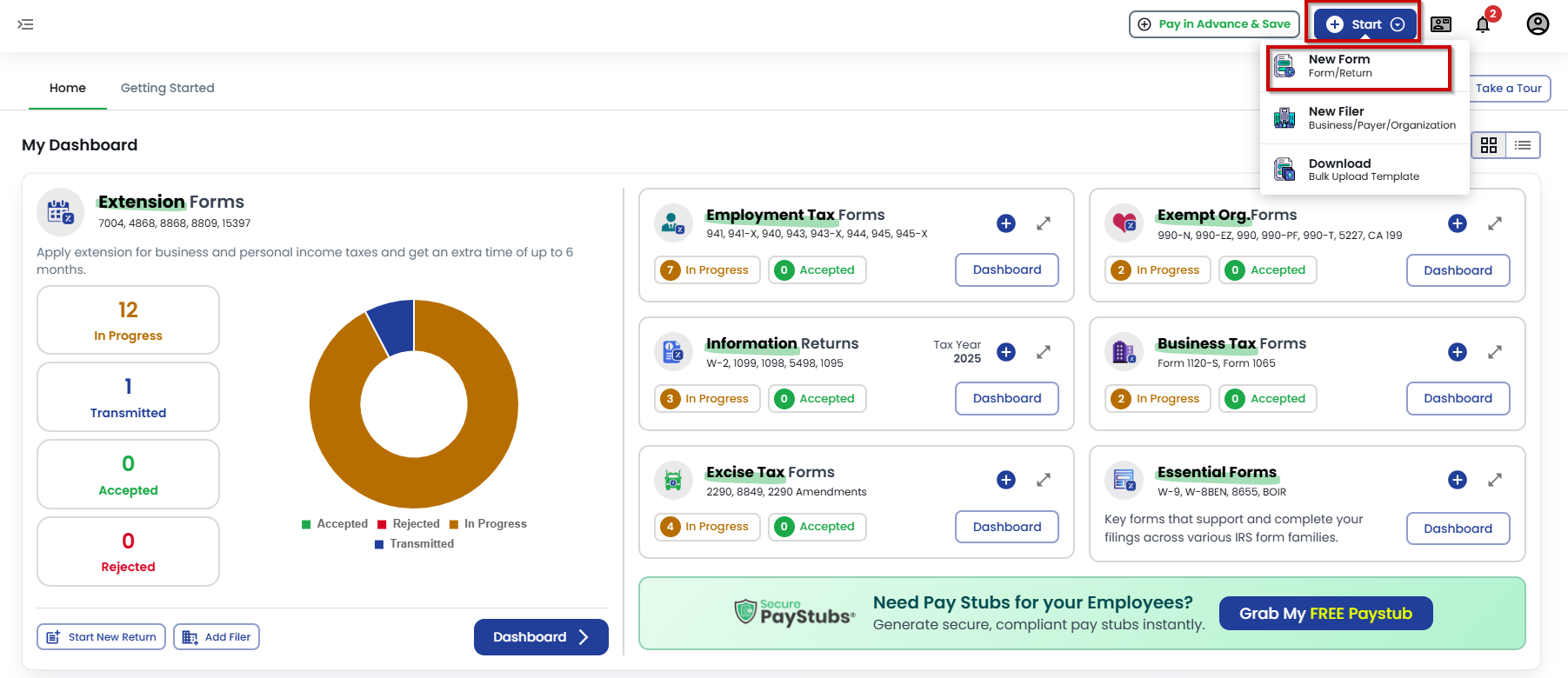
Sign in to TaxZerone account using your credentials. From the dashboard, click “Start” on the right side and select “New Form” from the dropdown menu to proceed.
Step 2:
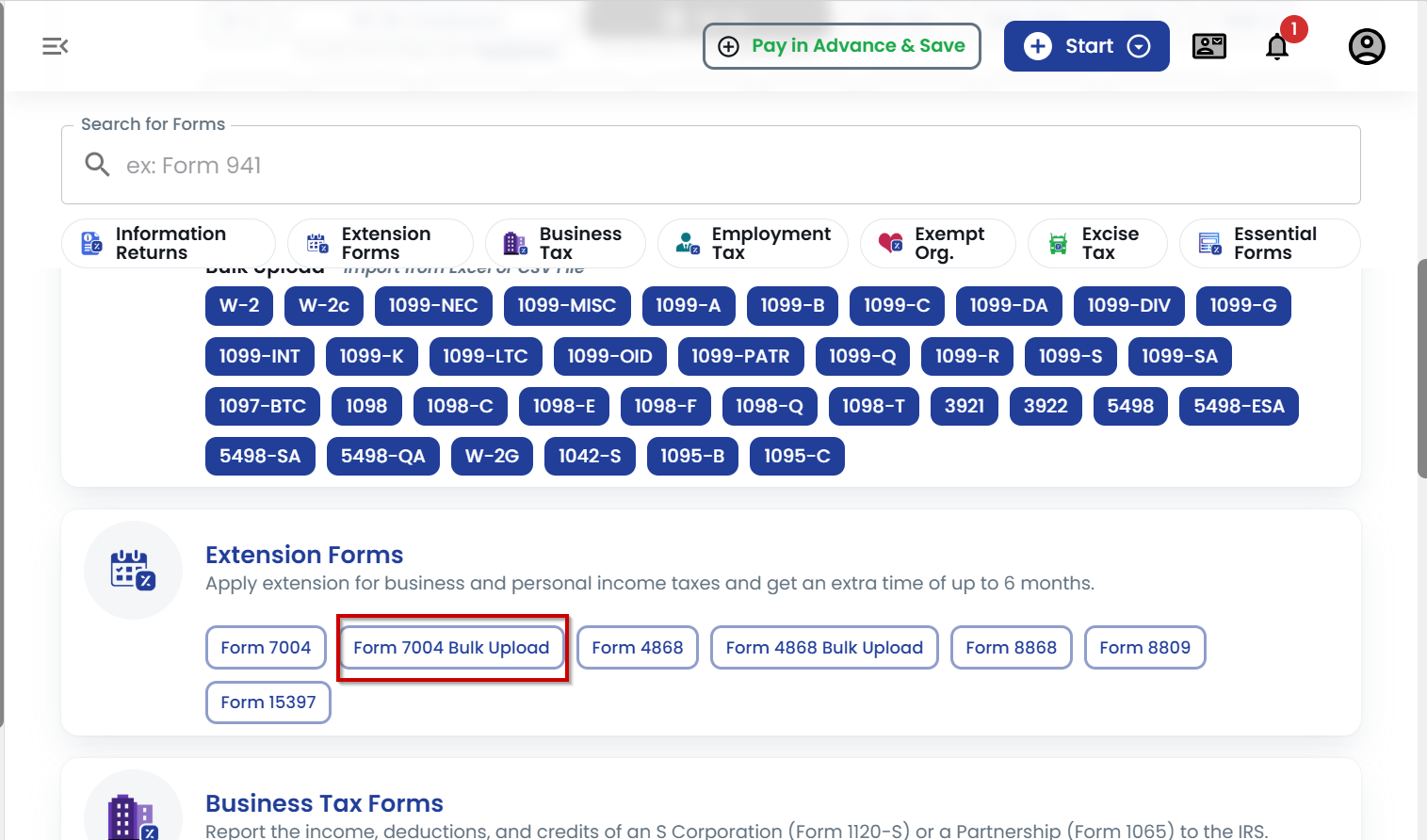
In the Extension Forms section, select Form 7004 Bulk Upload to begin your filing process.
Step 3:
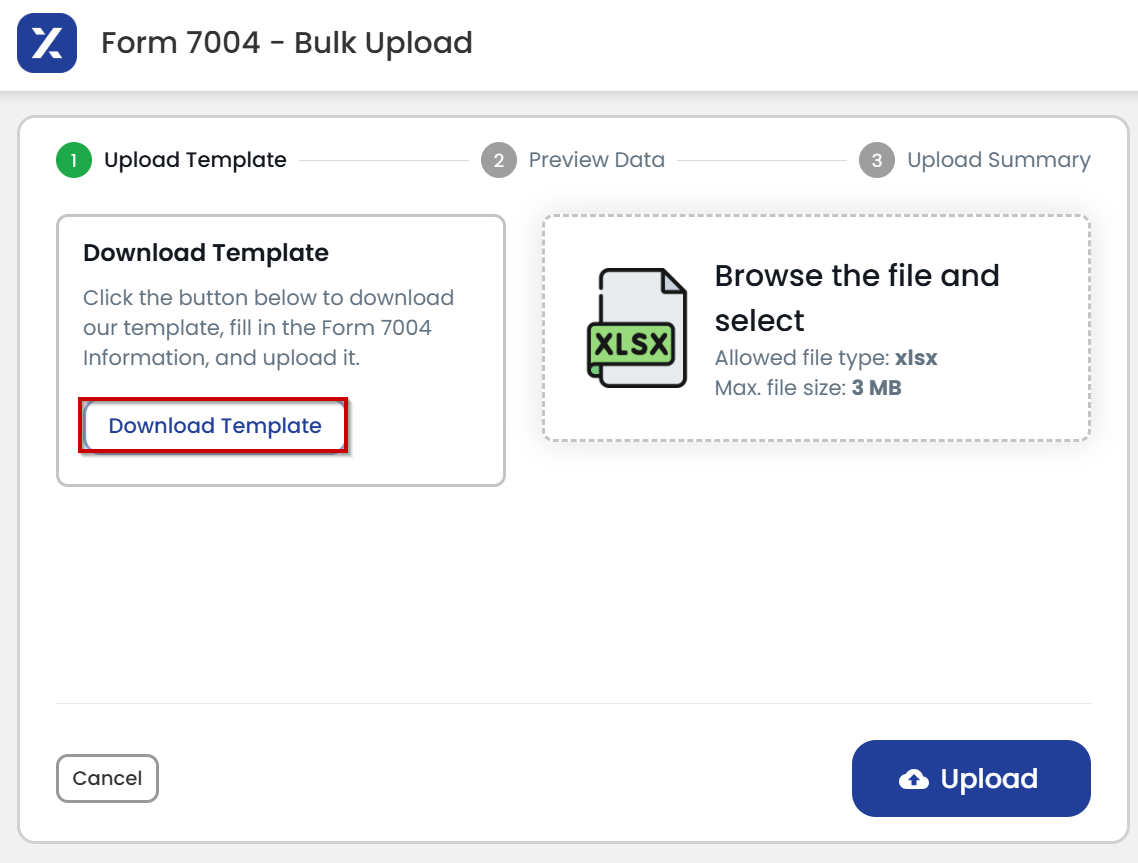
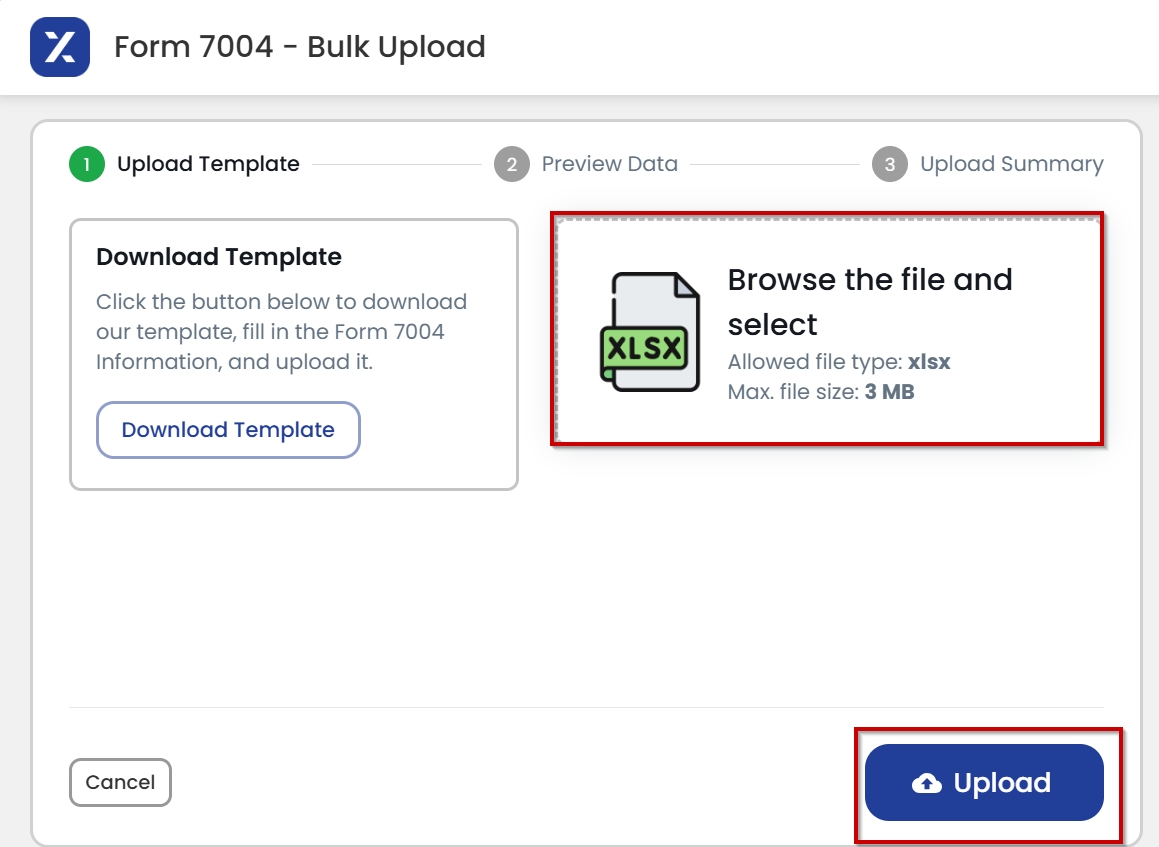
Download the Form 7004 bulk upload template in Excel format.
Step 4:
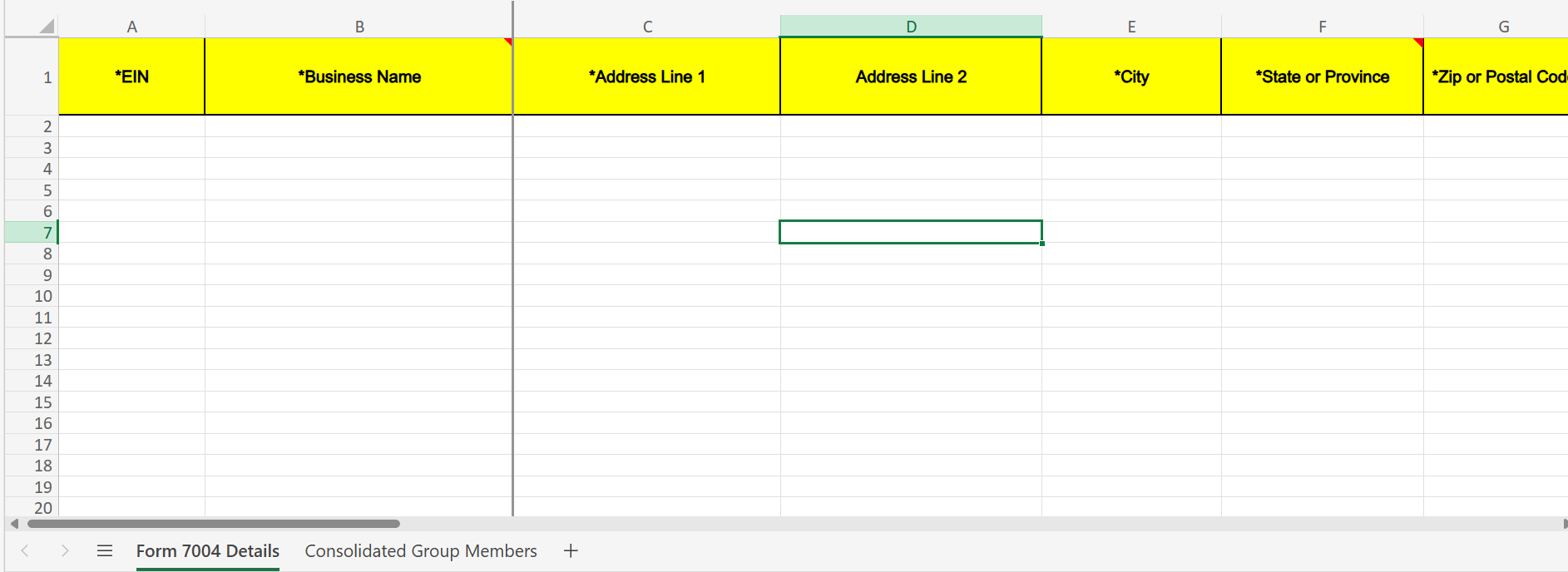
Enter the required details, including EIN, business name, complete address, and other relevant information and save your file.
Step 5:
- Browse your file and select the completed Form 7004 Excel file. The maximum file size should be 3 MB or less.
- Then click on the “Upload” button to process and prepare your filings automatically.
Step 6:
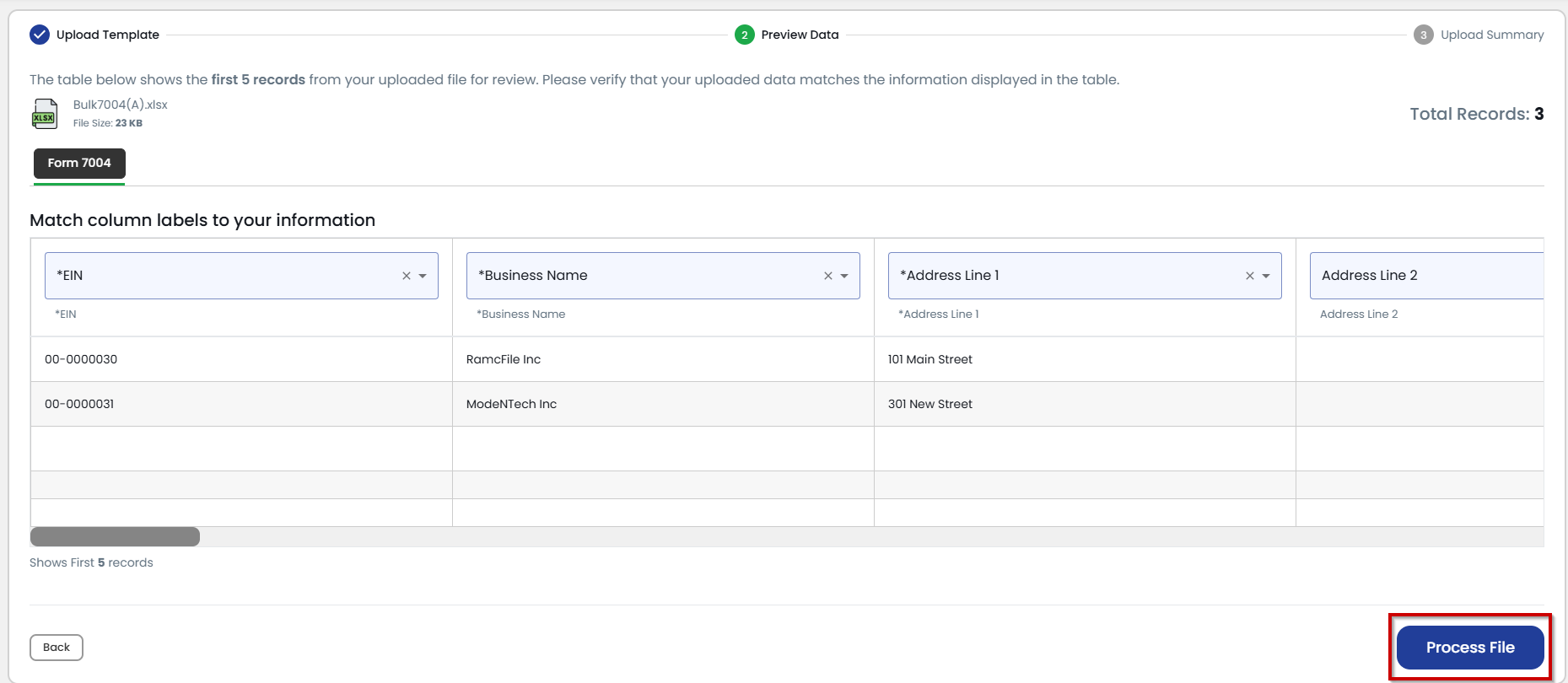
Verify your uploaded details to ensure they match the information displayed in the table and then click “Process File”.
Step 7:
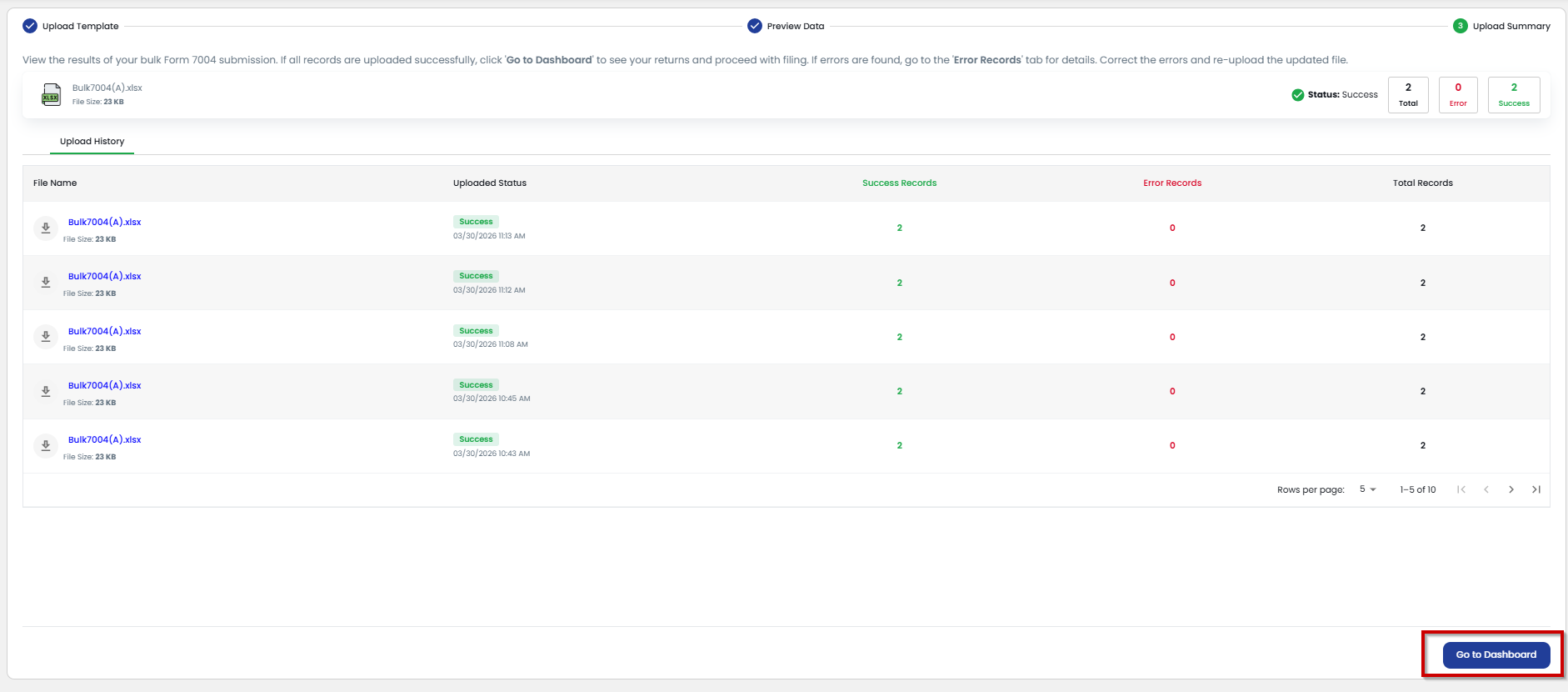
- View the result of your bulk Form 7004 submission. Check whether your records have any errors and correct them if any.
- If all the records are uploaded successfully, click on ‘Go to Dashboard’ to see your returns and proceed with the filing.
Step 8:
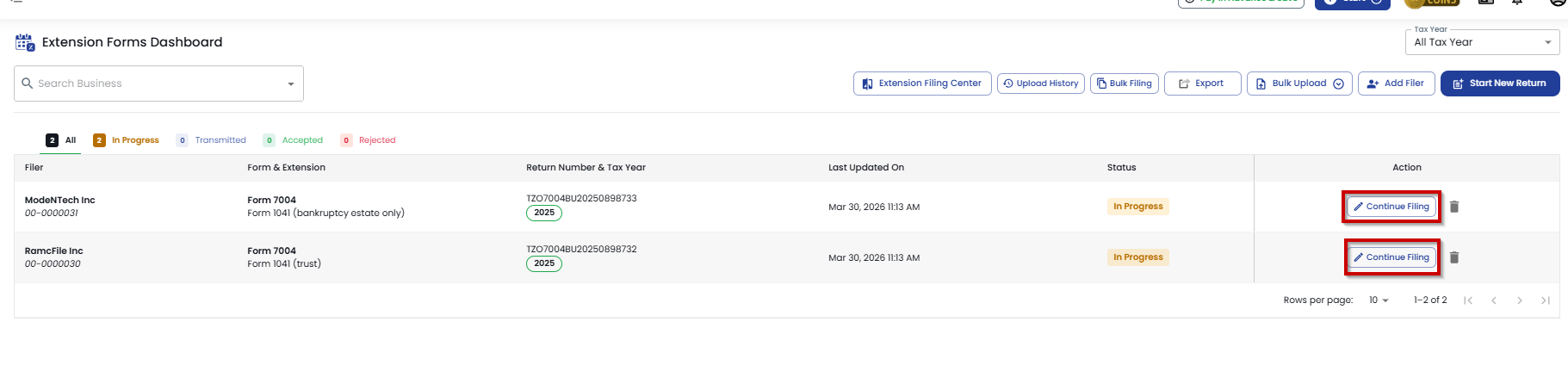
Now, click on “Continue Filing” to proceed with the submission of each filing individually.
Step 9:
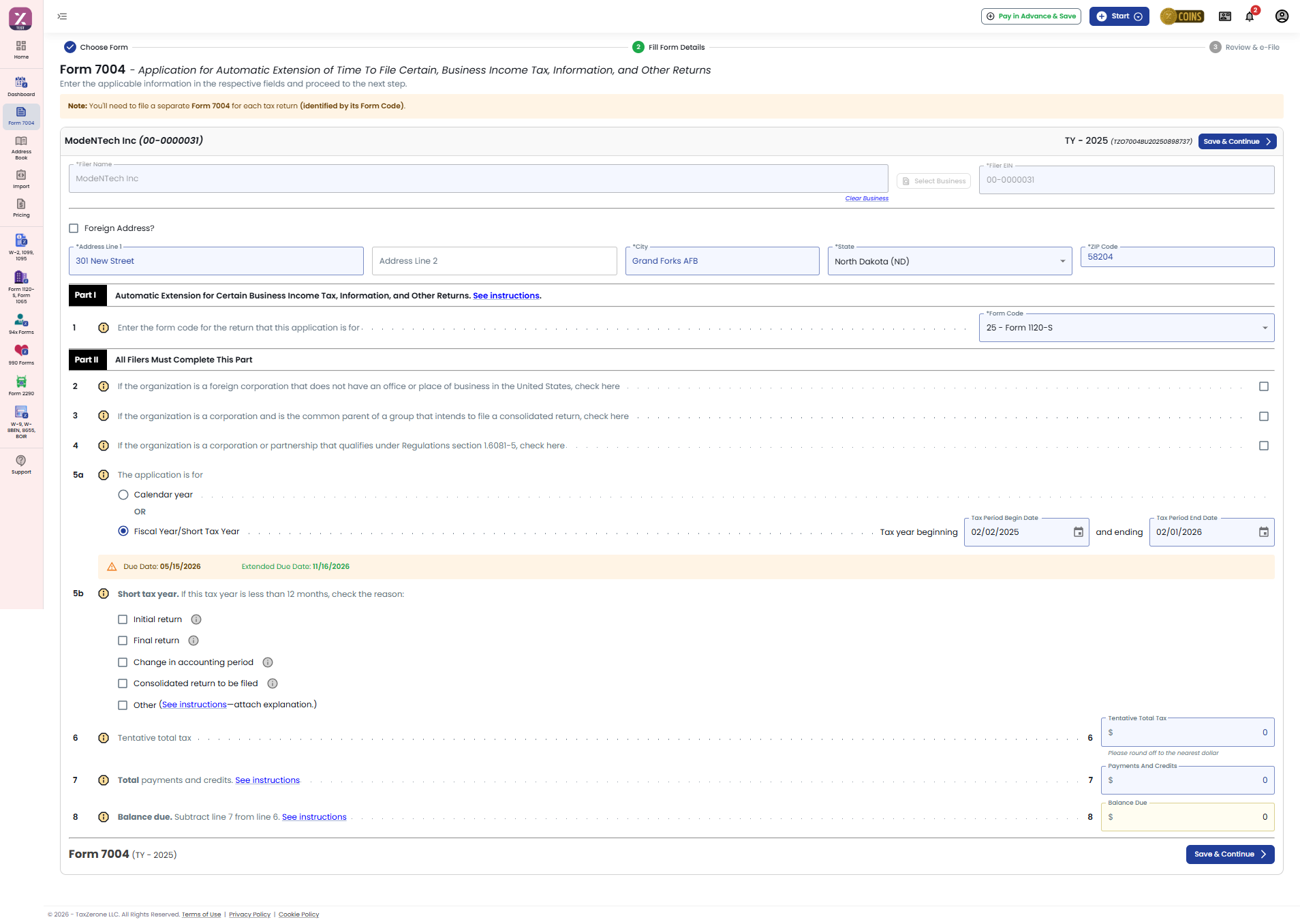
- Now, your 7004 form details will be auto-filled—review the fields to ensure all information is accurate.
- Then click on “Save & Continue”.
Step 10:
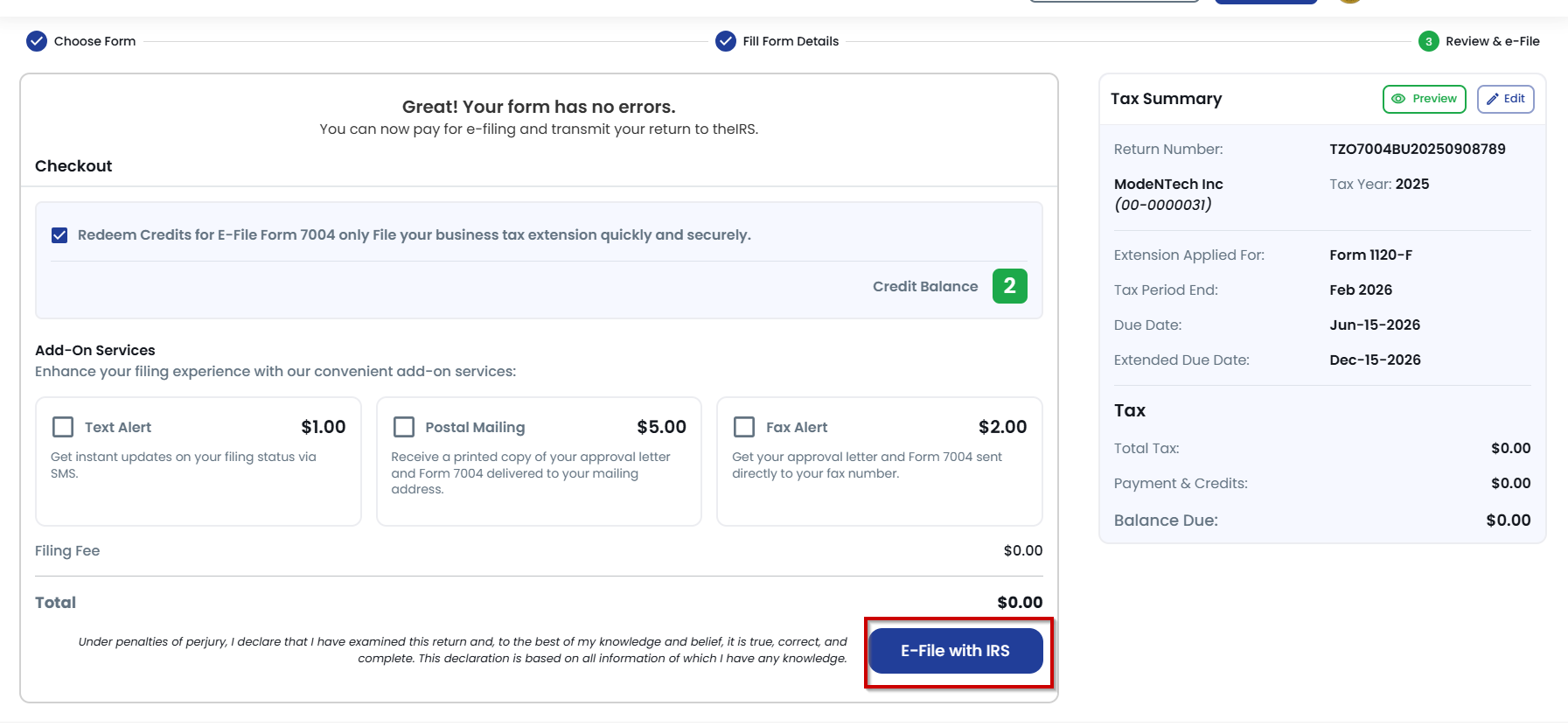
- Select the checkbox to redeem your credits to e-file Form 7004 and submit your business tax extension quickly.
- Choose any Add-On services to enhance your filing experience. .
- Then, click on “E-File with IRS" to transmit your 7004 returns.
E-file Form 7004 for FREE when you prepay for your required business tax return (1120-s or 1065 ) with TaxZerone.
Advantages of Form 7004 Bulk Upload with TaxZerone
- Save Time: Time savings are a major benefit. File multiple Form 7004 extensions at once instead of handling each filing individually.
- Reduce Manual Work: There is no need to manually enter information. Just upload all the information in a single Excel file.
- Minimize Errors: Errors will be validated and corrected before submission.
- Faster Processing: You can quickly create and file your extensions in a few easy steps.
- Improved Productivity: You will be able to increase your productivity by focusing on more important tasks.
- Secure & Compliant: Your information is safe and IRS compliant.
Ready to Simplify Your Form 7004 Filing?
Upload a single Excel file to streamline your process, minimize mistakes, and effortlessly handle multiple extensions using TaxZerone